- Gnome Partition Editor (GParted): http://gparted.sourceforge.net
- Knoppix: http://www.knopper.net/knoppix
- BartPE http://www.nu2.nu/pebuilder/
- NiroSoft Tools: http://www.nirsoft.net/utils/index.html
- Sysinternals Suite: http://technet.microsoft.com/en-us/sysinternals/bb545027
- Trinity Rescue Kit: http://trinityhome.org
- Kaspersky Rescue Disk: http://support.kaspersky.com/viruses/rescuedisk
- ddRescue: http://www.gnu.org/software/ddrescue/ddrescue.html
- F-Secure Rescue CD: http://www.f-secure.com/en/web/labs_global/removal/rescue-cd
- SafeCopy: http://safecopy.sourceforge.net/
Showing posts with label FreeWare. Show all posts
Showing posts with label FreeWare. Show all posts
11/18/11
OS Freeware tools - Linux, Windows, OS X
Great sysadmin freeware tools listed in random order:


10/3/11
Useful Cool Tools... and they're free
- ASAP Utilities add-on for Excel... Awesome tool for making your life with Excel easier
- http://www.asap-utilities.com/
- Example of uses: http://www.asap-utilities.com/asap-excel-tutorial-how-to.php
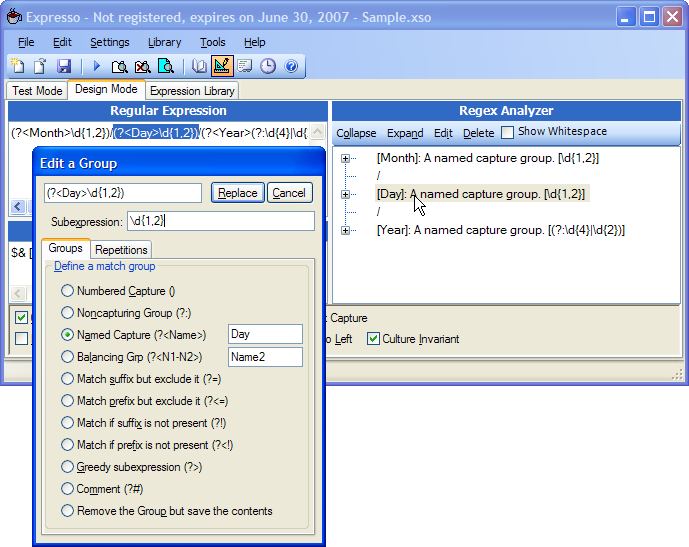
- Expresso. An aweome RegEx Dev tool
- PicPick: Free Screen Capture, image editor, color picker, color palette, pixel ruler, protractor, cross-hair and whiteboard all-in-one tool
- TrueCrypt: on the fly volume encryption tool for Windows platforms
http://www.truecrypt.org


1/20/11
DriveImage XML
Excellent Freeware (there is a commercial version as well) tool to image or backup logical drives & partitions sector-by-sector.
http://www.runtime.org/driveimage-xml.htm
http://www.runtime.org/driveimage-xml.htm
Agent Ransack - Free File Searching Utility
Agent Ransack is an awesome File search freeware tool for MS OSes.
http://www.mythicsoft.com/page.aspx?type=agentransack&page=home

http://www.mythicsoft.com/page.aspx?type=agentransack&page=home

Freeware: Phantom CD & Microsoft Virtual CD-ROM
To avoid burning your discs every few years, copy the CD, DVD or Blu-ray discs to ISO or BIN/CUE disc images to your hard drive.
Hard drives have their limitations too. However, it is much easier and faster to copy dozens or even hundreds of disc image files to a new hard drive than to burn dozens of new CD's or DVD's.
- Phantom CD
Download it from the developer's site:
http://www.phantombility.com/en/prod/phantomcd/download/ - Microsoft's Virtual CDROM software can’t be found via a regular search on Microsoft Downloads. This is a free program (Unsupported by Microsoft PSS) for Windows XP, 2000 and 2003 that lets you create a virtual CD drive on your hard disk. Supported file formats are: .udf; .cdfs; .jo; .iso; .rock. It weighs only 60KB in size.
MS Virtual CD software Installation instructions (copied from the included Readme)
- Copy VCdRom.sys to your %systemroot%\system32\drivers folder.
- Execute VCdControlTool.exe
- Click “Driver control”
- If the “Install Driver” button is available, click it. Navigate to the %systemroot%\system32\drivers folder, select VCdRom.sys, and click Open.
- Click “Start”
- Click OK
- Click “Add Drive” to add a drive to the drive list. Ensure that the drive added is not a local drive. If it is, continue to click “Add Drive” until an unused drive letter is available.
- Select an unused drive letter from the drive list and click “Mount”.
- Navigate to the image file, select it, and click “OK”. UNC naming conventions should not be used, however mapped network drives should be OK.
Subscribe to:
Posts (Atom)